![logo-white.png]](https://help.efundraisingconnections.com/hs-fs/hubfs/logo-white.png?height=40&name=logo-white.png)
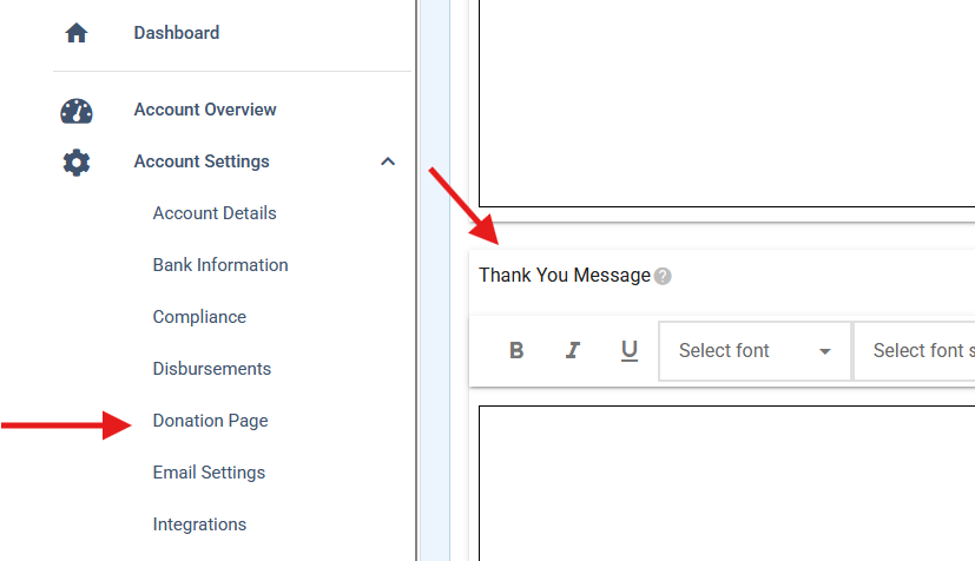
Your Thank You Message that goes out with your donations is fully customizable. That message is displayed on the donation completion page and is included on the receipts. You can edit and customize your thank you message under Account Settings -> Donation Page:
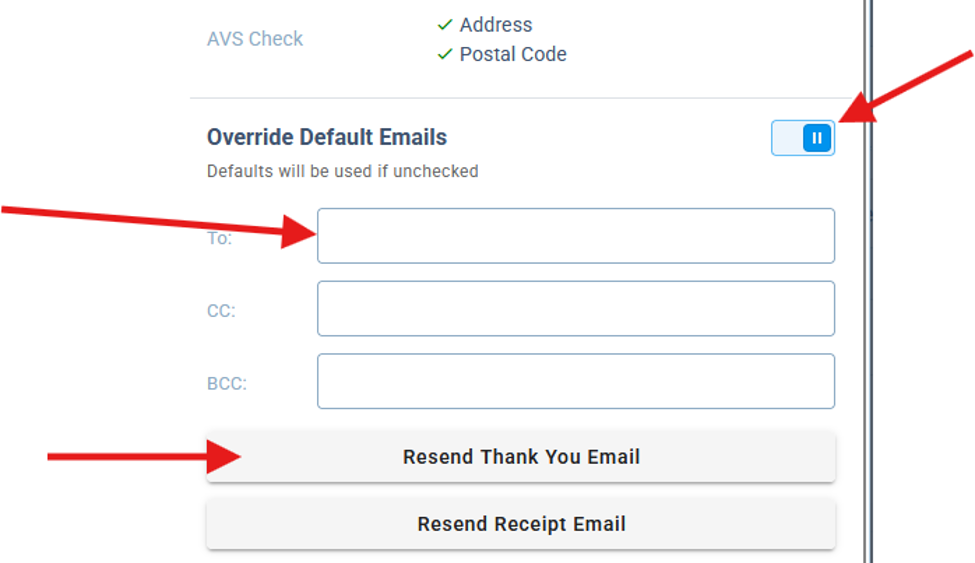
Once you've added that. If you would like to see how that goes out to your donors, you can send yourself a copy from a current donation by overriding the emails and adding yourself to that To: field. Just click on one of the donor names in your account, then select Override Default Emails, enter your email, and click Resend Thank You Email. That will send you a copy of what they see: